A growing share of “Is Acme down?” questions never reach a search results page. People ask ChatGPT, Perplexity, Claude or Google's AI Overviews, and they get one answer instead of ten links. Generative engine optimization (GEO) is about making sure that answer comes from you. For a status page, that matters more than for almost any other page you own.
What GEO is
SEO is about ranking in a list of links. GEO is about being the source an AI answer is built from, and ideally the link it cites. The term comes from a 2023 research paper by Princeton and Georgia Tech researchers, and the basic idea is simple: AI search tools fetch a handful of pages, read them, and write a summary. Pages that are easy to fetch, easy to read and clearly trustworthy end up in the answer. Pages that aren't get left out, however well they rank.
Most GEO advice is written for blogs and product pages. But there's one kind of page where being the cited source matters during the moments your customers care most: your status page.
Why status pages are a GEO problem
Ask an AI assistant whether a service is down and think about what it has to work with:
- Its training data can't help. A language model's knowledge stops at a cutoff date. It can't know whether your API is failing right now unless it looks it up.
- So it searches, and it uses whatever it can read. That might be your status page. It might also be a crowd-sourced outage tracker, a Reddit thread or a few angry posts on X.
- It summarizes, it doesn't link out to ten pages. If your page isn't one of the few sources it picks, your official update doesn't exist in that answer.
- Wrong answers cost you twice. “Yes, Acme is down” during a minor issue in one region creates panic. “No issues reported” during a real outage makes customers think the problem is on their side, and they open support tickets instead of waiting.
The goal is simple: when someone asks an AI about your service's status, it should find and quote your status page, with your wording, your timestamps and your current state.
What makes a status page answerable
You don't need special tricks. You need a page that a machine can read in one request and quote without misunderstanding. Five things matter most.
1. The content is in the HTML
Most AI crawlers don't run JavaScript. If your status page is a single-page app that builds itself in the browser, AI tools see an empty shell. We covered this in detail in why server-side rendering matters for status page SEO. It's the first thing to check, because nothing else on this list matters if the crawler gets an empty page.
2. Every incident has its own page
An AI answer works best with a URL it can cite for one specific fact. A page called “Login errors — Resolved” with its own title, description and timeline is much easier to quote correctly than one long scrolling list where the newest incident is mixed in with last month's.
3. Updates say what, who, when and what's next
AI tools summarize what you wrote. Vague updates become vague answers. Compare:
Hard to quote
We are aware of an issue and are looking into it.
Easy to quote
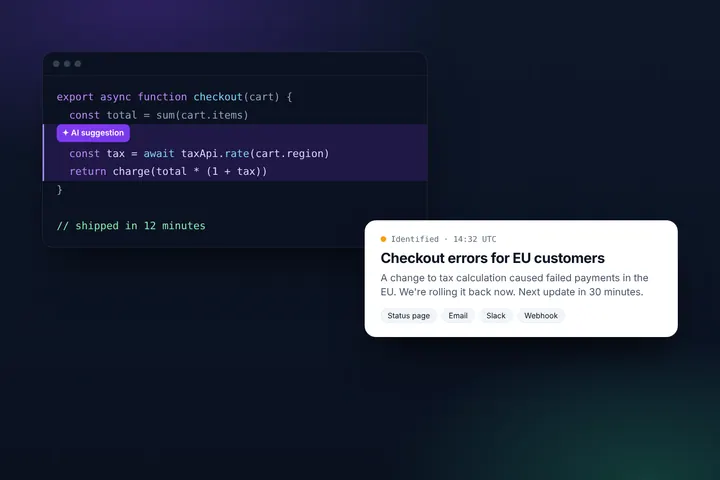
14:05 UTC — Investigating: Some customers in the EU region can't log in. API and dashboards for already signed-in users are working. Next update by 14:35 UTC.
The second one tells an assistant exactly which component is affected, for whom, and since when, so it can answer “Is Acme down for me?” accurately. Our incident communication templates follow this pattern, and the AI writing assistant in Statusentry helps turn rough notes into updates like this.
4. Resolved incidents stay public
“Is Acme reliable?” is a question AI assistants get asked too, often by people comparing vendors. A public history of incidents with clear resolutions and postmortems gives them something factual to summarize. Without it, the only material about your reliability is what other people wrote.
5. It's clearly the official source
AI tools weigh where information comes from. Put the status page on your own domain (for example status.acme.com), link to it from your website footer, help center and docs, and mention it in your product's error messages. All of that tells search engines and AI tools this page is the official source, not one more opinion.
How we made statusentry.com answerable
We applied the same thinking to our own website. Statusentry.com is a set of plain HTML files generated by a small Python script and served from Cloudflare. Here's what we added for AI search and AI agents, and why.
| What | Where | Why |
|---|---|---|
| Static, server-rendered HTML | Every page | Crawlers get the full content in one request, no JavaScript needed |
| robots.txt with Content Signals | /robots.txt | Says plainly that AI search and answer engines are welcome |
| llms.txt and llms-full.txt | /llms.txt | A short, factual summary of the product written for language models |
| Markdown for Agents | Every URL | Agents that ask for Markdown get a clean version of the page |
| Structured data (JSON-LD) | Every page | Machine-readable facts: product, plans, prices, FAQs, articles |
| OpenAPI, API catalog and auth.md | /openapi.json, /.well-known/api-catalog, /auth.md | Lets AI agents find and use our API on a customer's behalf |
robots.txt: say yes, explicitly
Allowing everyone with “User-agent: *” already works. We also list the major AI crawlers by name and add Content Signals, a proposed robots.txt extension that says how content may be used once it's fetched: for search, as input to AI answers, or for training.
robots.txt (excerpt)
User-agent: *
Content-Signal: search=yes, ai-input=yes, ai-train=yes
Allow: /

# AI crawlers and AI search engines (explicitly allowed)
User-agent: GPTBot
User-agent: OAI-SearchBot
User-agent: ClaudeBot
User-agent: PerplexityBot
User-agent: Google-Extended
Content-Signal: search=yes, ai-input=yes, ai-train=yes
Allow: /
Before you copy this, check your own robots.txt and your CDN's bot settings. Some hosting providers block AI crawlers by default, which quietly removes your site from AI answers.
llms.txt: the elevator pitch for models
llms.txt is a proposed standard: a Markdown file at your site's root that explains what you are, with links to your most important pages. Ours opens with a one-paragraph product description, then lists key facts like features, prices and how we compare with Atlassian Statuspage, including what Statuspage has that we don't. A longer llms-full.txt adds every plan, FAQ and comparison table in one file. Both are generated on every build, so they never go out of date.
To be honest about it: no major AI search engine has said it relies on llms.txt. It costs us nothing to maintain, and any AI agent or coding assistant pointed at our site can read it directly.
Markdown for Agents: same URL, cleaner content
Every page on our site is also built as Markdown. A small Cloudflare Worker checks the request: browsers and search engines get HTML as usual, and clients that ask for Markdown get the Markdown version at the same URL. This follows Cloudflare's Markdown for Agents convention.
Try it
curl -H 'Accept: text/markdown' https://statusentry.com/pricing

HTTP/2 200
content-type: text/markdown; charset=utf-8
x-markdown-tokens: 1261
link: <https://statusentry.com/pricing>; rel="canonical"
vary: Accept
Markdown has no menus, scripts or layout, so an agent spends its context on the content instead of the page chrome. The canonical link header makes sure the HTML page stays the one that gets cited, and the content is the same in both versions. We don't show AI tools anything people can't see.
Structured data: facts in a fixed format
Each page has JSON-LD that describes it: Organization and WebSite everywhere, SoftwareApplication with every plan and price on product pages, FAQPage where there are FAQs, and BlogPosting on articles like this one. A price in a table can be misread. A price in a SoftwareApplication offer can't.
APIs that agents can discover
AI agents increasingly do things, not just read. If someone asks an assistant to “open an incident on our status page when the deploy fails”, the agent needs to find our API. We publish an OpenAPI description, list it in an API catalog at the standard location defined by RFC 9727, and explain in auth.md how agents get credentials. See our status page API guide for what the API can do.
What GEO is not
- Not a separate version of the truth. Serving AI crawlers different content from what people see is cloaking. It's a bad idea for search engines and erodes trust once found out.
- Not keyword stuffing for robots. AI tools summarize meaning. Clear, specific, well-structured writing beats repetition.
- Not only marketing. Honest comparisons, real limits and real incident histories get cited because they're useful. Pages that only say good things about you are easy to ignore.
Checklist: GEO for your status page
- View your status page's source and confirm the current status and latest incident are in the HTML.
- Give every incident its own URL with a descriptive title, such as “API errors — Resolved”.
- Write updates that say what's affected, for whom, since when and when the next update comes.
- Keep resolved incidents and postmortems public.
- Use your own domain, and link the status page from your site, docs and app.
- Check that your robots.txt and CDN settings don't block AI crawlers.
- Ask a few AI assistants about your status and see what they cite. Repeat after your next incident.
The bottom line
When your service has problems, people will ask an AI about it whether you're ready or not. A readable, specific and clearly official status page gives that AI the right answer, in your words. Statusentry status pages are server-rendered, have a page per incident and work on your own domain, so most of the technical work is done for you. Try the demo status page or create a free account and see what AI tools say about you next time.