It's 2 p.m. and production is down. You've found the bug, written a one-line fix and opened a pull request. Now you wait. Lint, unit tests, integration tests, a Docker build, another round of tests on the merge commit, then the deploy. Forty minutes later the fix is live. For forty minutes you knew exactly what was wrong and couldn't do anything about it.
That's the moment most teams notice their pipeline is slow. But the real cost has been adding up quietly every day before it.
Waiting is the smallest cost
The obvious cost of slow CI is time spent waiting. It's real, and it's easy to estimate. Take a team of 10 engineers who each push 6 times a day. If the pipeline takes 25 minutes instead of 8, that's 17 extra minutes per run, or about 17 hours of waiting every working day across the team.
Nobody actually sits and stares at the progress bar for 17 hours, though. They switch to something else. And that's where the bigger costs start.
Context switching
When feedback takes two minutes, you stay in the problem. When it takes thirty, you open Slack, start reviewing another PR or pick up a new task. By the time the build fails, you have to reload the original problem into your head, and the task you switched to is now half done. Each switch is cheap on its own. Repeated dozens of times a day across a team, it turns focused work into fragmented work.
Bigger, riskier changes
If every push costs half an hour, people push less often. They bundle three changes into one PR to "save a CI run." Bigger PRs are slower to review, harder to understand and more likely to hide a bug. When one of them does break production, it's harder to tell which of the three changes caused it, and harder to roll back just that one.
Slow CI quietly works against the practice CI exists to support: integrating small changes often.
Skipped tests and "it'll be fine"
When the pipeline is slow, it becomes something to get around. Developers stop running the full suite locally. Someone marks a slow test as skipped "for now." A team adds a label that bypasses checks for "trivial" changes. Each decision makes sense in the moment. Together they hollow out the safety net that the pipeline was supposed to be.
Fewer small improvements
The small cleanups that keep a codebase healthy, like renaming a confusing function, deleting dead code or fixing a typo in an error message, are the first things to go when every change costs 30 minutes. Nobody wants to pay that price for a five-line refactor. Over time, the codebase gets a little worse in all the places nobody had the patience to touch.
During an incident, CI time is downtime
This is the part that hurts customers directly. When production breaks, the time to recovery looks roughly like this:
- Notice the problem.
- Find the cause.
- Write the fix.
- Get the fix through CI and deployed.
- Confirm it's working.
Teams spend a lot of effort on steps 1 to 3: better monitoring, better logs, on-call rotations. Step 4 often gets ignored, yet it can be the longest step of the whole incident. If your pipeline takes 40 minutes, no incident can be fixed in less than 40 minutes, no matter how quickly you found the bug. The DORA research program tracks recovery time from a failed deployment as one of its core delivery metrics for a reason: it's where speed and reliability meet.
A slow pipeline also creates a dangerous temptation. Under pressure, someone will push the fix straight to production and skip CI. Sometimes that works. Sometimes the untested hotfix breaks something else, and now you have two incidents. The answer isn't "never bypass CI." It's having a pipeline fast enough that nobody wants to.
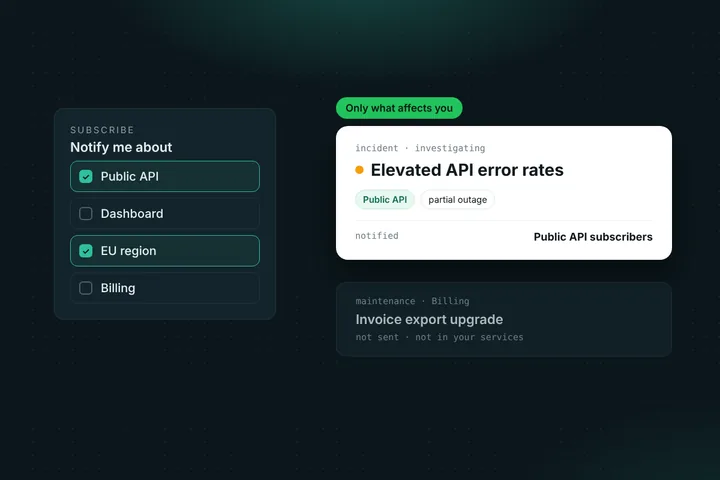
Meanwhile, your customers are waiting too. If you post "We've identified the issue and are deploying a fix" on your status page, every minute the fix spends in CI is a minute they're refreshing that page. Keeping them updated helps (we wrote about how to communicate during incidents), but a fix that ships in 10 minutes beats a well-written update about a fix that ships in 45.
How fast is fast enough?
There's no universal number, but a long-standing rule of thumb from Extreme Programming, discussed in Martin Fowler's article on Continuous Integration, is the ten-minute build: the main checks should finish in about ten minutes.
A practical way to think about it:
- Under 5 minutes: developers wait for results and stay in context.
- 5 to 15 minutes: workable. People switch tasks briefly but come back.
- Over 15 minutes: people stop waiting, batch their changes and look for shortcuts.
If a full run genuinely needs longer, for example because of long end-to-end or performance tests, split it. Run a fast stage that gates merging, and a slower stage that runs afterward or on a schedule. Developers get quick feedback on most problems, and the slow tests still run.
How to speed up a slow pipeline
1. Measure before you change anything
Look at the median and the 90th percentile pipeline time, not just the last run. Then break it down by step. Most slow pipelines have one or two steps that take most of the time, and that's where your effort should go. Track the numbers over time so you notice when a new test suite adds five minutes.
2. Cache what doesn't change
Reinstalling every dependency from scratch on every run is one of the most common sources of wasted minutes. Cache package manager downloads, build outputs and Docker layers. For Docker images, order your Dockerfile so that rarely changing layers (system packages, dependencies) come before frequently changing ones (your source code).
3. Run things in parallel
Lint, type checks and unit tests usually don't depend on each other, so run them as separate parallel jobs. Split large test suites into shards across several runners. Most CI providers support this out of the box. Doubling runners often costs less than the engineering time lost waiting.
4. Fail fast
Order your steps so the quickest checks run first. If there's a syntax error or a lint failure, the developer should know in 30 seconds, not after a 10-minute integration test run.
5. Only test what changed
In a monorepo or a large codebase, many changes only affect one part of the system. Tools that detect which packages or tests are affected by a change can skip large parts of the suite safely. A docs change shouldn't trigger a full backend test run.
6. Fix or quarantine flaky tests
A flaky test is a speed problem in disguise. Every random failure means a rerun, and every rerun doubles the wait. Worse, it teaches the team to ignore red builds. Track which tests fail intermittently, fix them or move them out of the blocking path until they're fixed, and don't let "just retry it" become a habit.
7. Use faster runners
Sometimes the cheapest fix is hardware. Bigger or self-hosted runners with more CPU and memory can cut build times sharply, especially for compiled languages and large test suites. Compare the runner cost to the hours your team spends waiting.
8. Keep a fast, safe path for hotfixes
Decide in advance what the minimum set of checks is for an emergency fix, and make sure that path is genuinely fast. That way, during an incident, the choice isn't between "wait 40 minutes" and "skip everything."
Treat your pipeline like a product
The teams with fast pipelines usually aren't luckier. They treat CI as something worth maintaining: someone owns it, its speed is tracked like any other metric, and a change that adds five minutes to every run gets the same attention as a change that slows down the app. Pipelines get slower one reasonable addition at a time. Keeping them fast takes the same steady attention.
A fast pipeline pays off every day in focus, smaller changes and safer releases. It pays off most on the day something breaks, when the only thing between your customers and the fix is how long it takes to ship.
And on that day, keep your customers in the loop while the fix is on its way. Statusentry gives you a hosted status page where you can post incident updates, notify subscribers and later publish a postmortem.
FAQ
What is a good CI pipeline time?
A common rule of thumb is about ten minutes for the checks that block merging. Under five minutes is excellent. Once it goes past 15 minutes, developers tend to stop waiting, batch changes together and look for ways to skip checks.
Why does CI speed matter for incident response?
Every fix has to pass through the pipeline before it reaches production. If CI takes 40 minutes, no incident can be resolved in under 40 minutes, even if the bug is found right away. Slow pipelines also tempt teams to skip checks during an outage, which can cause a second incident.
What's the fastest way to speed up a slow CI pipeline?
Start by measuring which steps take the most time. The biggest wins usually come from caching dependencies and Docker layers, running independent jobs in parallel, sharding large test suites and fixing flaky tests that cause reruns.