Incident templates are pre-written status page updates for each stage of an incident — investigating, identified, monitoring and resolved. Instead of writing from a blank box while the pager is still ringing, your team picks the template for the current status, fills in the specifics and publishes. Statusentry now includes incident templates on every plan, including Free.
What is an incident template?
An incident template is a reusable message for your status page. It holds the parts of an update that stay the same from incident to incident — the structure, the tone, the promise of a next update — and leaves clear gaps for the parts that change: which service is affected, what customers will notice and when you'll post again.
Good incident communication follows a familiar lifecycle, so templates usually follow it too. Each incident status has a different job:
- Investigating: acknowledge the problem quickly and describe the impact customers can see.
- Identified: say that the cause is known and a fix is in progress.
- Monitoring: say that a fix is live and you're watching to confirm it worked.
- Resolved: confirm that service is back to normal and say what happens next.
Incident templates are sometimes called incident communication templates, status page templates or incident update templates. They all describe the same idea: decide how you'll talk to customers before an outage, not during one.
Why incident templates matter
The first public update during an outage is usually written by the person with the least time to write it — the on-call engineer, halfway through debugging. Templates take most of the writing off their plate. Here's what that changes.
1. You post the first update sooner
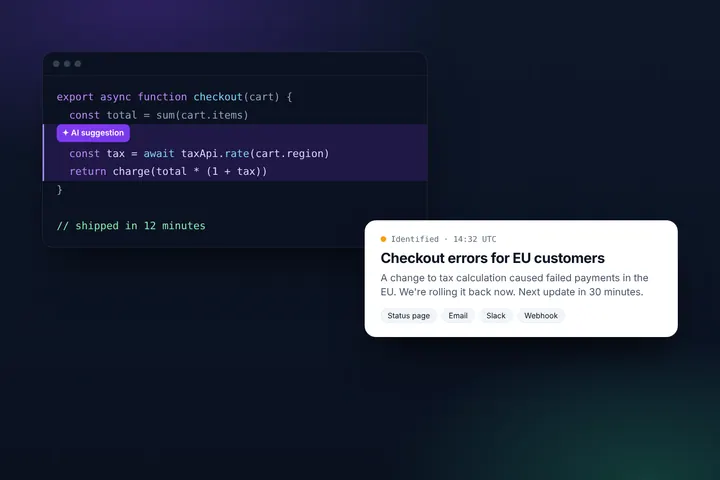
Customers notice an outage within minutes, and silence fills up with support tickets, social posts and guesses. A ready-made Investigating template turns the first update into a 30-second task, so your status page confirms the problem before customers start asking whether it's just them. If you need help convincing your team, our post on the incident management process explains why the first update matters so much.
2. Every update sounds like your company
Without templates, the tone of your status page depends on who is on call. One engineer writes three careful paragraphs; another writes “fixed, sorry”. Templates give every update the same structure and voice, which makes your status page easier to read and makes your team look prepared — even when they're improvising behind the scenes.
3. Fewer mistakes under pressure
Stressed people overshare and under-explain. A template written in a calm moment leaves out blame, internal jargon and guessed root causes, and it reminds the writer to include what customers actually need: what's affected, what they'll notice and when the next update is coming.
4. Anyone on the team can post
When the wording is already approved, you don't need a communications lead online at 3 a.m. Support, engineering or a founder can publish an update that's safe to send, so updates aren't blocked on one person.
5. Regular updates become a habit
Most customer frustration during an incident comes from long gaps between updates, not from the outage itself. Templates that end with “next update by [time]” make teams commit to a cadence — and a Monitoring and Resolved template make it easy to close the loop instead of leaving an incident open for hours after the fix.
How incident templates work in Statusentry
In Statusentry, templates live in the Templates tab of the Incidents page. A template prefills a new incident with everything you'd otherwise set by hand under pressure: the incident status (investigating, identified, monitoring or resolved), the impact level, the status of the affected service — such as degraded performance, partial outage or major outage — and the incident title and message.
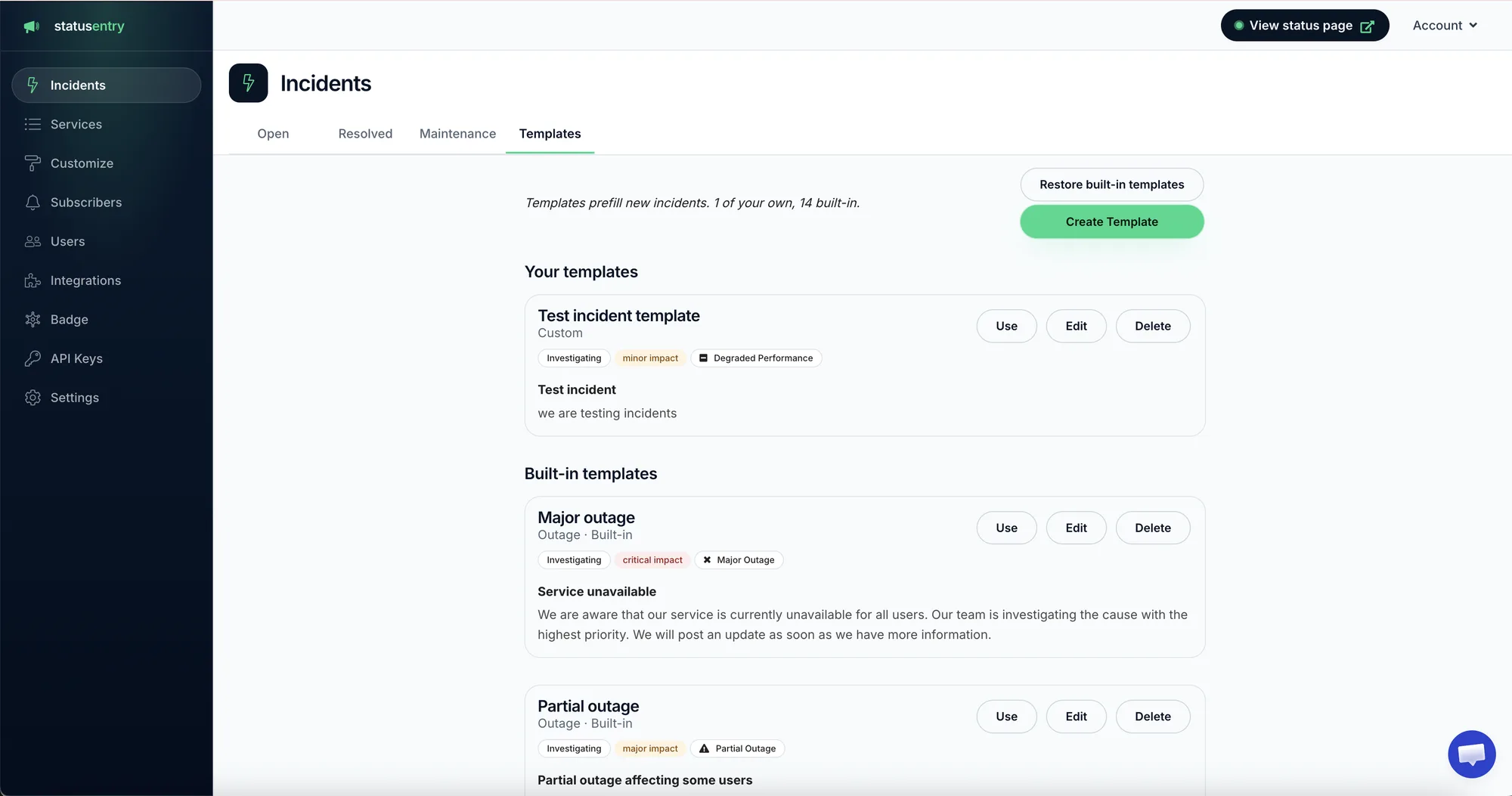
- Start from the built-in library. Statusentry comes with 14 built-in templates for common incidents, like a major outage or a partial outage affecting some users. Edit them to match your voice, delete the ones you don't need, and restore the originals at any time.
- Create your own. Click Create Template to save the incidents you see most often — a slow API, a third-party outage, a login problem — with the right status, impact and wording.
- Use a template when an incident starts. Click Use and the new incident is prefilled. Add the specifics, check the wording and publish to your status page and subscribers.
Because the impact level and service status come from the template too, the first update is not only faster but also correctly classified — no more “major outage” posted for a minor slowdown because someone picked the wrong option in a hurry.
Incident templates are included on every Statusentry plan, including the free plan. Templates also pair well with the AI writing assistant: start from a template, add your notes, and let the assistant tidy the wording without changing the facts.
What a good incident template looks like
Here's one of the built-in Statusentry templates. Notice that it sets more than the words: the status, impact and service status are part of the template, so the incident is classified correctly from the first click.
Built-in template · Major outage
Status: Investigating · Impact: critical · Service status: Major outage
Title: Service unavailable
We are aware that our service is currently unavailable for all users. Our team is investigating the cause with the highest priority. We will post an update as soon as we have more information.
When you customize it, add the details your customers need most — which product or region is affected and a time for the next update — and keep the rest short. For a full set of copy-paste wording for every stage, plus customer email, social and internal messages, see our incident communication templates. After the incident, our postmortem template helps you write up what happened.
Planning work rather than reacting to it? We have a separate set of scheduled maintenance announcement templates for email, status pages, banners and social posts.
Best practices for writing incident templates
- Lead with impact, not cause. “Some payments are failing” is more useful to customers than “database replica lag”.
- Keep each update to one to four sentences. Customers skim status pages; long updates hide the important part.
- Always include the next update time. It's the single line that cuts down on “any news?” tickets most.
- Use plain language. Leave out internal names for services, hosts and teams.
- Never blame. Not a teammate, not a vendor by name unless they've confirmed the outage publicly.
- Make placeholders obvious. [Brackets] are easy to spot before you publish; vague wording isn't.
- Review templates after real incidents. If you kept editing the same sentence during an outage, fix it in the template.
| Instead of | Write |
|---|---|
| “We are experiencing issues.” | “Some users can't log in to the dashboard.” |
| “The issue should be fixed soon.” | “Next update by 14:30 UTC.” |
| “The Redis cluster in eu-west-1 failed over.” | “EU customers may see errors when saving changes.” |
| “Fixed.” | “This incident has been resolved and everything is working normally.” |
Incident templates in Statuspage alternatives
If you're comparing status page tools, look past the headline price at how quickly your team can publish a good update. Atlassian Statuspage, StatusPal and several other tools offer incident templates, so it's worth checking which plans include them and how they fit into the update flow.
Questions to ask when you compare Statuspage alternatives:
- Do templates prefill the incident status, impact and affected service status, or only the text?
- Is there a built-in template library to start from, or do you begin with a blank page?
- Are templates available on the plan you'll actually buy — including the free plan?
- Can any team member use them, or only admins?
- Does the tool help with wording beyond templates, for example with AI suggestions?
Statusentry includes incident templates — 14 built-in, plus your own — and the AI writing assistant on every plan, with paid plans from $9.99 per month. See how it compares in Statusentry vs. Atlassian Statuspage, or browse the full list of features.
Frequently asked questions
What should an incident template include?
A short title, the customer-visible impact, who is affected, what you're doing about it and when the next update will be posted. Resolved templates should also confirm that service is back to normal and give a way to contact support.
How many incident templates do I need?
Start with one template per status — investigating, identified, monitoring and resolved — and add more for the incidents you see often, such as degraded performance, a third-party outage or a partial outage in one region. In Statusentry you can also start from the 14 built-in templates and edit them.
Do incident templates make updates sound robotic?
Not if you write them in plain language and fill in real details each time. The template handles structure and tone; the specifics — what broke, who is affected, when you'll update next — come from the incident.
Are incident templates free in Statusentry?
Yes. Incident templates are available on every Statusentry plan, including the free plan. Create a free status page to try them.